MOD0
Control Center
Control every aspect of the suite.
MOD0 is the command center for Discogs Toolkit. Configure shared paths, API credentials, browser profiles, publishing locations, templates, branding, diagnostics and health checks — then launch every module from one consistent workspace.
- Set Discogs, MusicBrainz, eBay and marketplace API access
- Control master-data, cover, export, draft and posting paths
- Manage browser profiles, accounts and automation settings
- Configure templates, branding and publishing defaults
- Verify system health before starting work
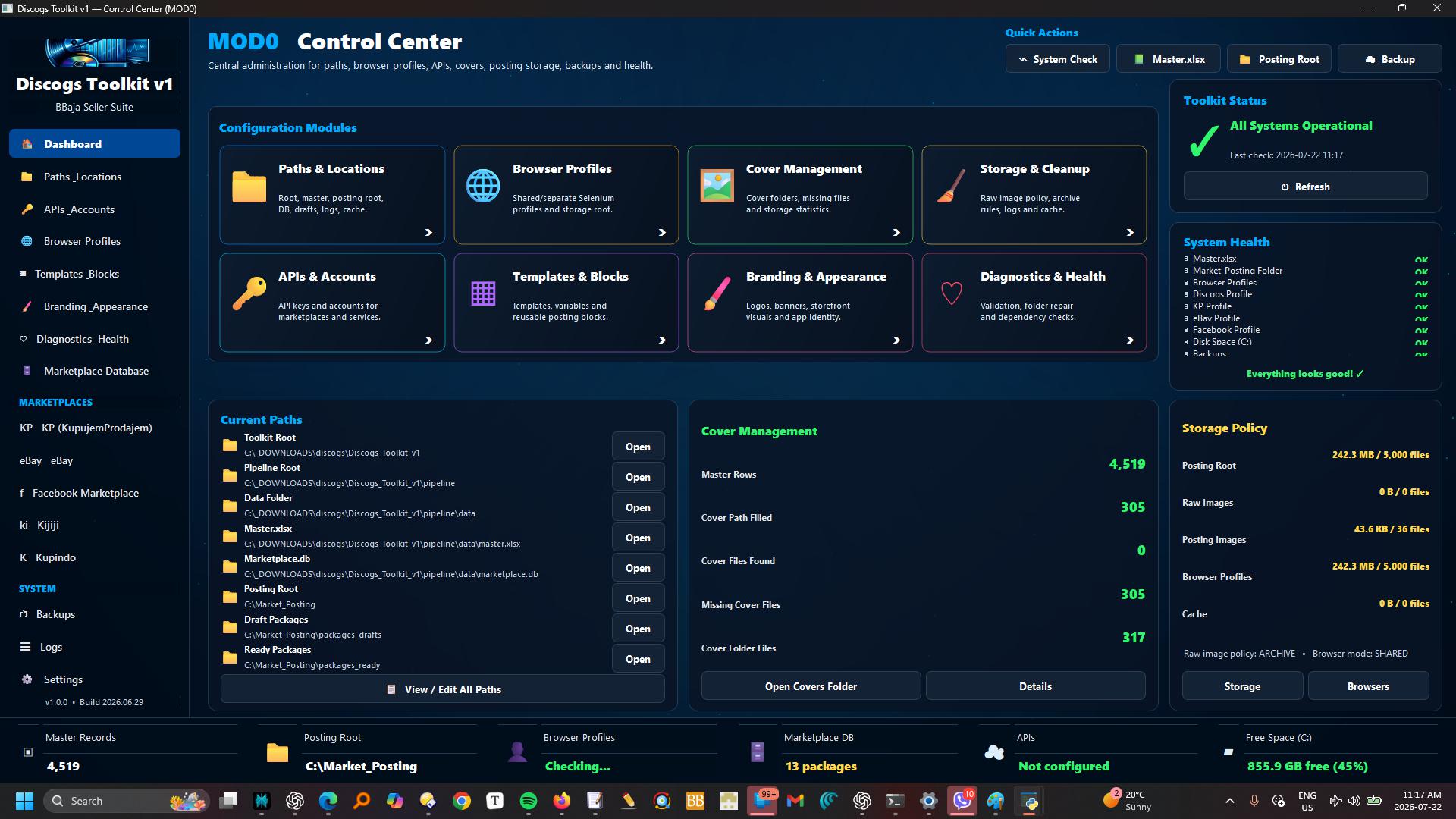
APIs & accountsKeep Discogs, MusicBrainz, eBay and marketplace credentials in one place.
Paths & locationsDefine the master workbook, data, covers, exports, posting and archive folders.
Browser profilesControl persistent login sessions used by assisted posting workflows.
Templates & brandingSet logos, banners, themes, currencies, languages and output defaults.
Diagnostics & healthCheck connections, files, APIs and required folders before launching.
Launch everythingOpen MOD1–MOD6 directly from the same command center.
One suite-wide configuration layer
Set it once. Use it everywhere.
Command
One entrance to the complete Toolkit.
MOD0 gives the suite a single operational home. Every module is visible, every shared dependency can be checked, and the user always knows where the master collection, posting workspace and publishing outputs are located.
MOD1–MOD6MASTER STATUSQUICK LAUNCHSHARED SETTINGS
Configure
Control the details without editing code.
Paths, accounts, templates, browser profiles and branding belong in a visible control surface rather than being scattered through scripts. MOD0 centralizes those choices and makes the entire suite easier to move, maintain and troubleshoot.
NO HARD-CODED PATHSAPI SETTINGSBROWSER PROFILESBRANDING
MOD0
CONTROL CENTER
PATHSAPIsACCOUNTSPROFILESTEMPLATESHEALTHCONTROL CENTER
The MOD0 control cycle
Configure. Verify. Launch. Control.
01LocateSet every shared file and folder path.
→02ConnectAdd APIs, accounts and browser profiles.
→03StyleChoose templates, branding and defaults.
→04VerifyRun health checks and resolve warnings.
→05LaunchOpen the required module.
→06ControlKeep the whole suite consistent.
The suite starts here
MOD0 keeps every module connected, configured and ready.
It is the operational backbone behind the complete Discogs Toolkit workflow.