Discogs CSV Import
Download the collection export from Discogs, then load the file into MOD1.
- Works with an exported Discogs collection file
- Ideal for manual checkpoints and archived snapshots
- Easy to inspect before reconciliation begins
MOD1
Build a reliable master collection from the very first step.
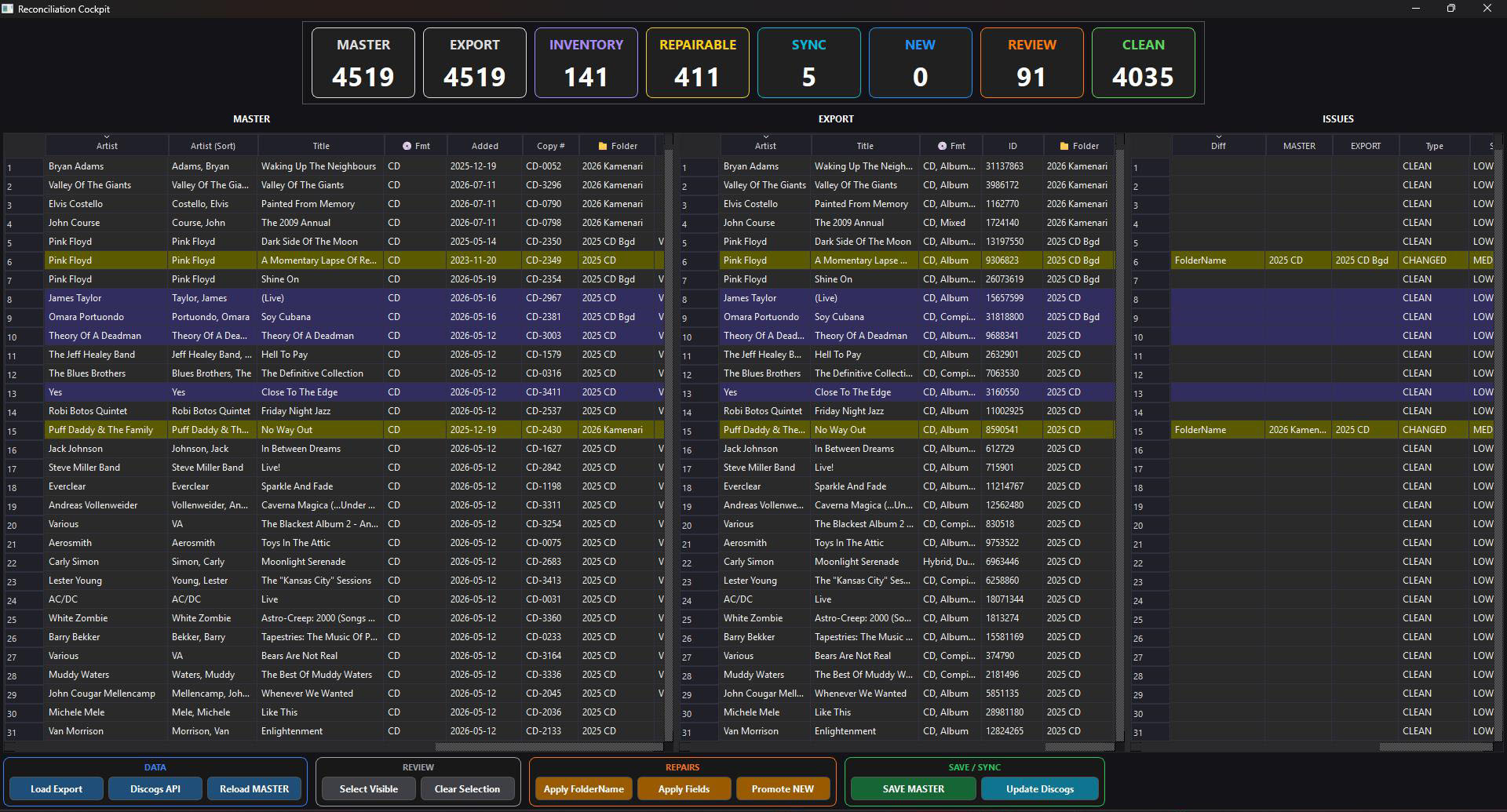
MOD1 imports your Discogs collection either from a downloaded Discogs CSV export or directly through the Discogs API. It compares that source with the local master collection, identifies differences, and lets you decide exactly what should change.
Two ways to begin
Both methods feed the same reconciliation engine and produce the same controlled comparison against your master collection.
Download the collection export from Discogs, then load the file into MOD1.
Connect to the Discogs account and retrieve current collection information directly.
MOD1 aligns the local master with the incoming Discogs data so changed folders, fields, inventory state and other differences can be reviewed in context rather than accepted blindly.
Use targeted repair actions for folder names or selected fields, promote genuinely new records, and leave clean records untouched. The workflow is designed to protect local work while still keeping Discogs information current.
CSV export or Discogs API
Align incoming records with master data
Find clean, changed and new items
Inspect every important difference
Apply approved repairs and save
Clean master data for the next module
MOD1 keeps the source data accurate, controlled and ready for enrichment, inventory, marketplace and publishing workflows.