MOD3

Master Enrichment

Turn a clean master list into a rich, searchable collection database.

MOD3 fills missing release information, adds trusted external metadata and manages cover images in one controlled cockpit. It combines Discogs release data with MusicBrainz identifiers and artist information, while keeping every update visible before it is written back to the master collection.

  • Enrich from Discogs and MusicBrainz
  • Fill year, country, label, catalog number, genre and style
  • Add artist origin, region, type and external IDs
  • Find, download and review missing cover images
  • Run bulk profiles or enrich only selected records
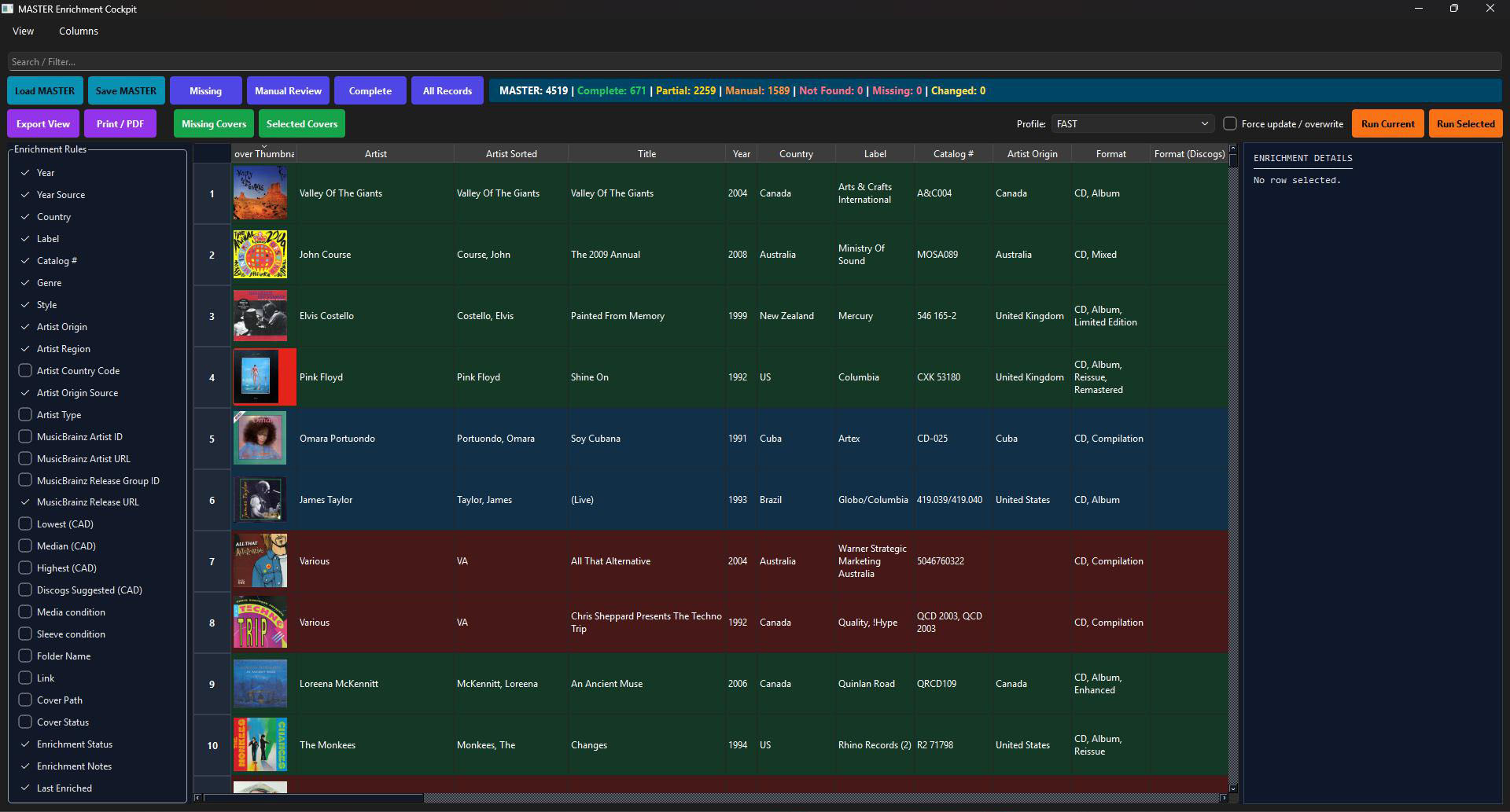
Actual MOD3 Master Enrichment Cockpit with enrichment rules, record table, statuses and run controls
Two trusted sourcesCombine Discogs release data with MusicBrainz artist and release identifiers.
Choose enrichment fieldsSelect exactly which fields should be completed, from year and label to artist origin and pricing references.
Live enrichment statusTrack complete, partial, manual-review, not-found and changed records at a glance.
Cover managementFilter missing covers, download selected artwork and verify which records have usable images.
Record-level detailsInspect enrichment notes and the exact result for the selected release before saving.
Bulk or selected runsUse a reusable profile, run the current view or enrich only carefully selected rows.

More than one source. One controlled result.

Discogs depth meets MusicBrainz intelligence.

MOD3 does not blindly overwrite the collection. It uses complementary sources to fill different gaps and keeps the result visible inside one master enrichment workspace.

DISCOGS

Release Metadata

Use the Discogs release as the main reference for edition-specific information and marketplace context.

  • Release year and country
  • Label and catalog number
  • Format, genre and style
  • Lowest, median, highest and suggested pricing references
+
MUSIC
BRAINZ

Artist & Identity Data

Add information that helps describe, connect and verify the artist and release beyond the basic Discogs export.

  • Artist and release identifiers
  • Artist origin, region and country code
  • Artist type and source
  • MusicBrainz artist and release URLs
MOD3 Enrichment Rules panel listing selectable release, artist, pricing, cover and status fields
Select

Enrich only what the collection actually needs.

The Enrichment Rules panel lets you choose individual fields instead of running an uncontrolled all-or-nothing import. Build a focused profile for release data, artist-origin research, pricing, covers or a complete enrichment pass.

YEARCOUNTRYLABELCATALOG #GENRESTYLE
Understand

See complete, partial and unresolved records immediately.

Colour-coded rows and summary counters separate records that are complete from those that still need enrichment or human review. This keeps attention on the exceptions rather than forcing you to inspect thousands of successful rows.

COMPLETEPARTIALMANUAL REVIEWNOT FOUNDCHANGED
MOD3 main table with green, blue and red enrichment-status rows, cover thumbnails and metadata columns
MOD3 profile selector, force update option, Run Current and Run Selected controls
Control

Run fast profiles, selected records or a careful overwrite.

Choose a reusable enrichment profile, process the visible workspace or target only selected records. Force update remains an explicit option, so existing trusted values are protected unless you deliberately decide to replace them.

FAST PROFILERUN CURRENTRUN SELECTEDFORCE UPDATE
Verify

Know what remains before saving the master.

Every enrichment pass ends with visible status, notes and cover state. Missing or uncertain records can stay in manual review while complete records move forward to inventory, pricing, marketplace preparation and publishing.

ENRICHMENT STATUSNOTESCOVER STATUSLAST ENRICHED
01CompleteRequired fields and cover are ready.
02PartialUseful data found, but some fields remain open.
03ManualA human decision is required before completion.
04Not FoundNo safe external match was confirmed.
05ReadySave verified enrichment back to the master.
From basic release rows to a rich master collection

▦

Load

Open the normalized master collection

◎

Choose

Select fields and an enrichment profile

↗

Research

Query Discogs and MusicBrainz

+

Enrich

Fill metadata, IDs and artist information

▣

Cover

Find and verify missing artwork

✓

Save

Write verified results to the master

A richer master collection powers better search, pricing, listings and storefronts.

MOD3 turns normalized records into complete, visual and marketplace-ready collection data without sacrificing control over the source of truth.

YOUR VIDEO COLLECTION. MORE COMPLETE.

Find the details.
Keep the control.

Bring films, concerts and complete box sets into one review workflow. Match metadata, compare eBay asking prices and check the physical release before saving.

TMDB metadataDVD & Blu-ray release checksBatch price research
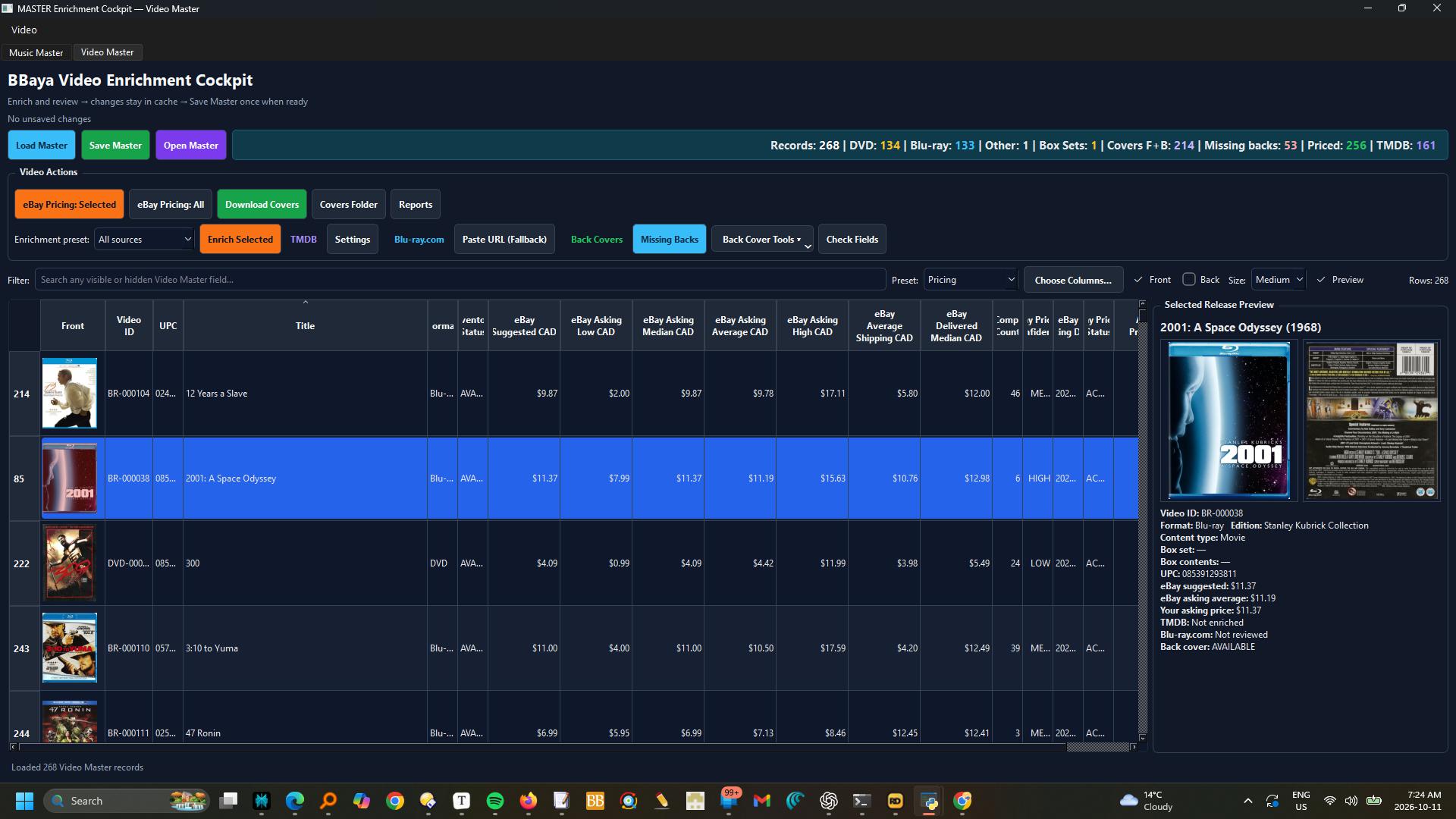
MOD3: Video enrichment table, eBay references and release preview
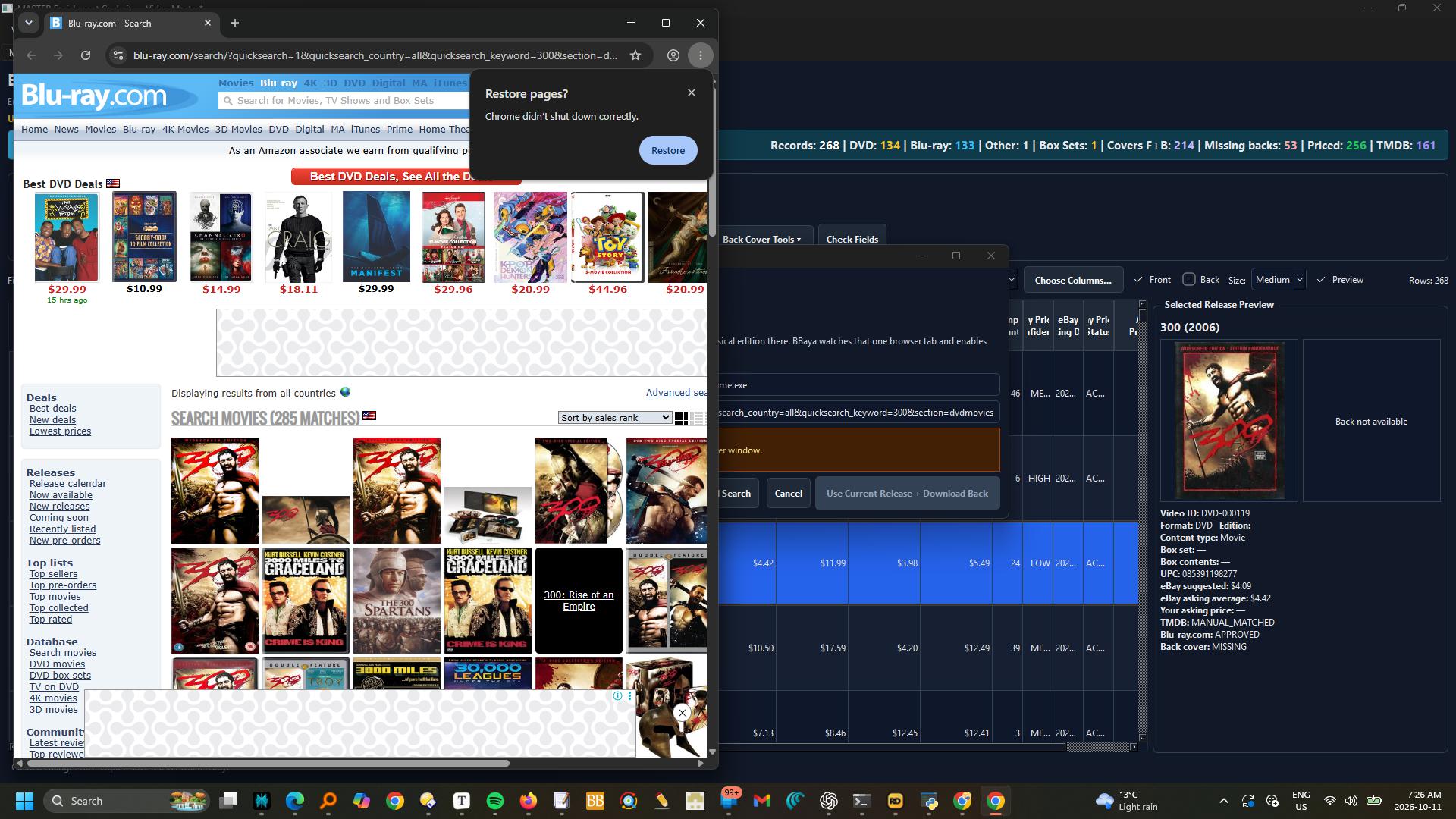
MOD3: select the matching DVD release in the external browser before downloading its back cover
How it works · Enrich and review Video Master

Switch to Video Master.

Select one or several records and choose All sources, TMDB only, Release + Back only, or eBay pricing only.

Review metadata matches and physical DVD/Blu-ray editions before accepting.

In eBay Pricing, search the selected records, review comparables and use selected prices.

These are active asking-price references, not completed-sale values.

Set your own Asking Price CAD and Inventory Status separately.

Updates stay in the session cache until Save Master; an exit warning protects unsaved changes.

Filters, columns, selection and table position are retained during refreshes.

Complete box sets are single items; components appear only as contents.

Close the workbook in Excel before saving from MOD3.